ROLE
Technical Designer, Level Designer
ROLE
Technical Designer, Level Designer
ROLE
Technical Designer, Level Designer
TOOL
Unity (C#), GitHub
TOOL
Unity (C#), GitHub
TOOL
Unity (C#), GitHub
TEAM
Team of 7
TEAM
Team of 7
TEAM
Team of 7
TIMELINE
4 Days
TIMELINE
4 Days
TIMELINE
4 Days
PLAY
PLAY
PLAY
OVERVIEW
OVERVIEW
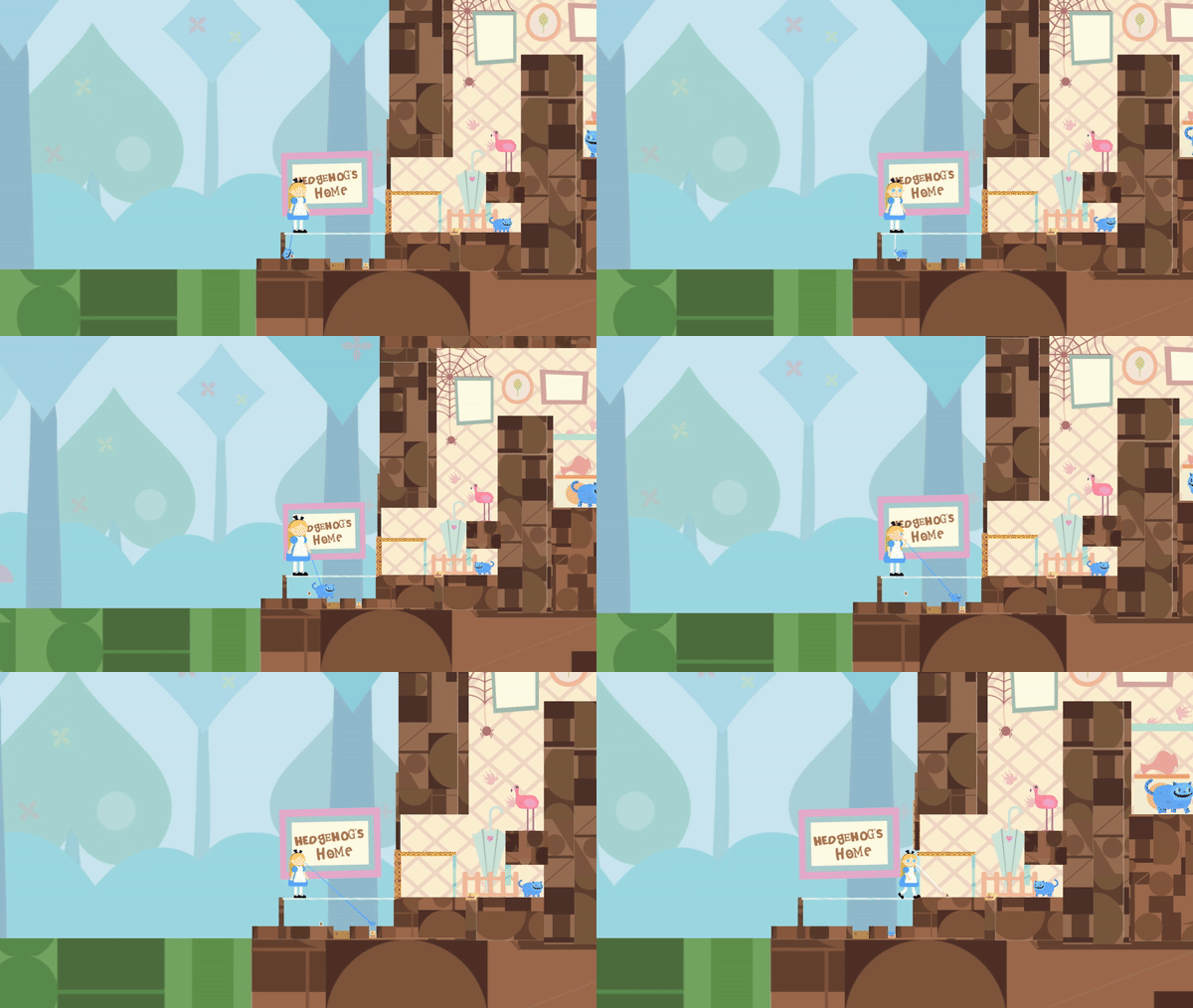
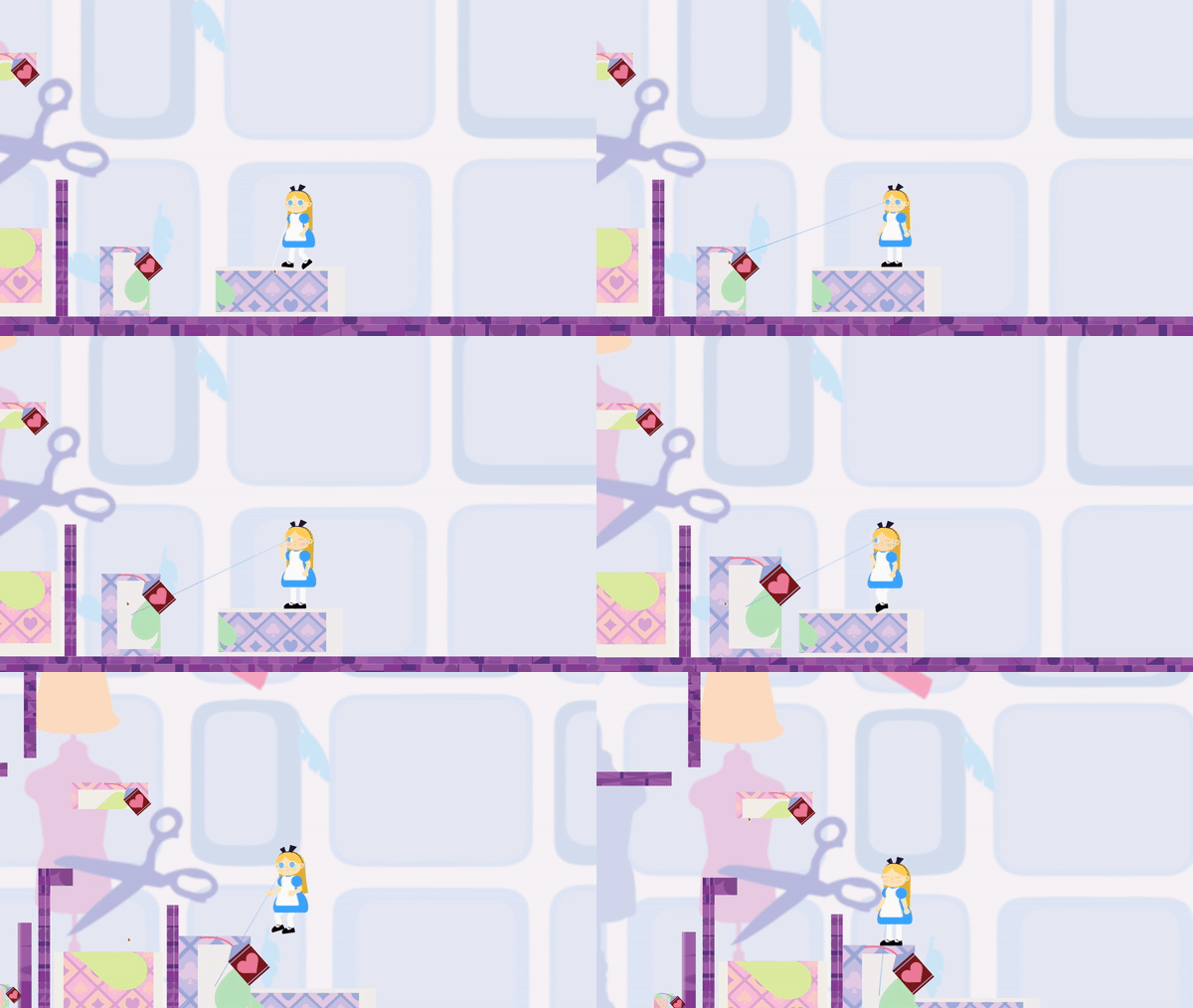
Alice-Alice is a 2D puzzle platformer built for GMTK Game Jam 2024 ("Built to Scale"), where the core mechanic lets the player scale Alice herself and other scalable objects larger and smaller to solve environmental puzzles, a direct reinterpretation of Alice in Wonderland's shrink/grow potions. The central design tension: once both the player character and individual objects can each scale independently, the puzzle space becomes combinatorially large fast, and keeping that space readable and fair for the player, rather than overwhelming or arbitrary, was the core challenge. Built with a team of roughly 6-9 over an extended 96-hour jam. My role was design and programming.
Alice-Alice is a 2D puzzle platformer built for GMTK Game Jam 2024 ("Built to Scale"), where the core mechanic lets the player scale Alice herself and other scalable objects larger and smaller to solve environmental puzzles, a direct reinterpretation of Alice in Wonderland's shrink/grow potions. The central design tension: once both the player character and individual objects can each scale independently, the puzzle space becomes combinatorially large fast, and keeping that space readable and fair for the player, rather than overwhelming or arbitrary, was the core challenge. Built with a team of roughly 6-9 over an extended 96-hour jam. My role was design and programming.
Alice-Alice is a 2D puzzle platformer built for GMTK Game Jam 2024 ("Built to Scale"), where the core mechanic lets the player scale Alice herself and other scalable objects larger and smaller to solve environmental puzzles, a direct reinterpretation of Alice in Wonderland's shrink/grow potions. The central design tension: once both the player character and individual objects can each scale independently, the puzzle space becomes combinatorially large fast, and keeping that space readable and fair for the player, rather than overwhelming or arbitrary, was the core challenge. Built with a team of roughly 6-9 over an extended 96-hour jam. My role was design and programming.
CONSISTENT RULESET
Scaling both Alice and objects creates a huge combinatorial puzzle space. Every interaction has to behave the same way everywhere, no hidden exceptions for one specific puzzle.
Scaling both Alice and objects creates a huge combinatorial puzzle space. Every interaction has to behave the same way everywhere, no hidden exceptions for one specific puzzle.
EXPERIMENT AND DISCOVER
Every solution should be findable by trying things in the world. No outside knowledge or tutorial dumps required, curiosity is enough.
Every solution should be findable by trying things in the world. No outside knowledge or tutorial dumps required, curiosity is enough.
A WORLD THAT FEELS LIKE ALICE'S
Scaling has to feel smooth and physical, not just a number changing. Every character, UI element, and environment piece has to visibly belong to Alice in Wonderland's world.
Scaling has to feel smooth and physical, not just a number changing. Every character, UI element, and environment piece has to visibly belong to Alice in Wonderland's world.
DESIGN DEEP DIVE
DESIGN DEEP DIVE
#1: SCALING
#1: SCALING
#1: SCALING
OVERVIEW
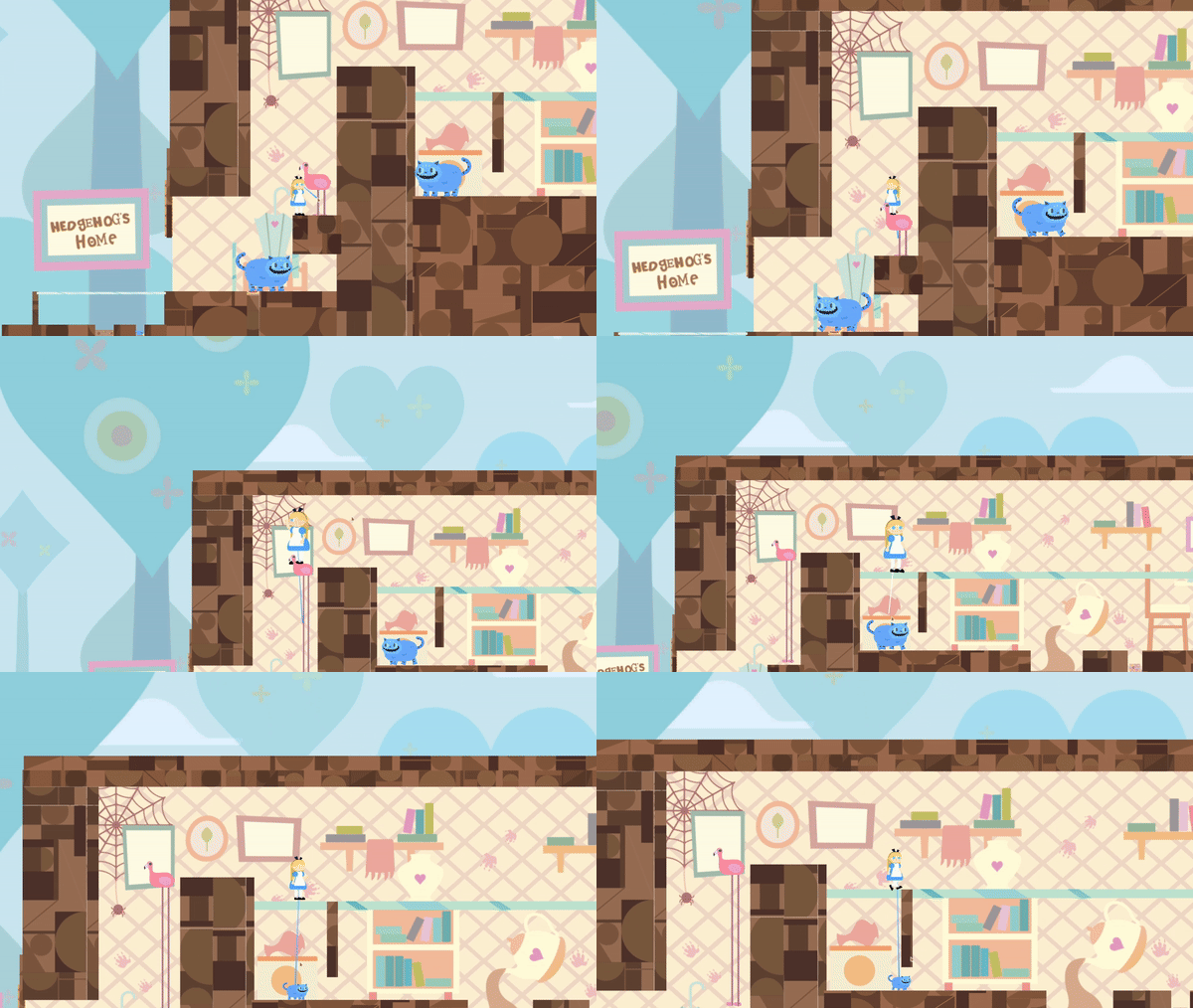
Design Intent
Design Intent
Design Intent
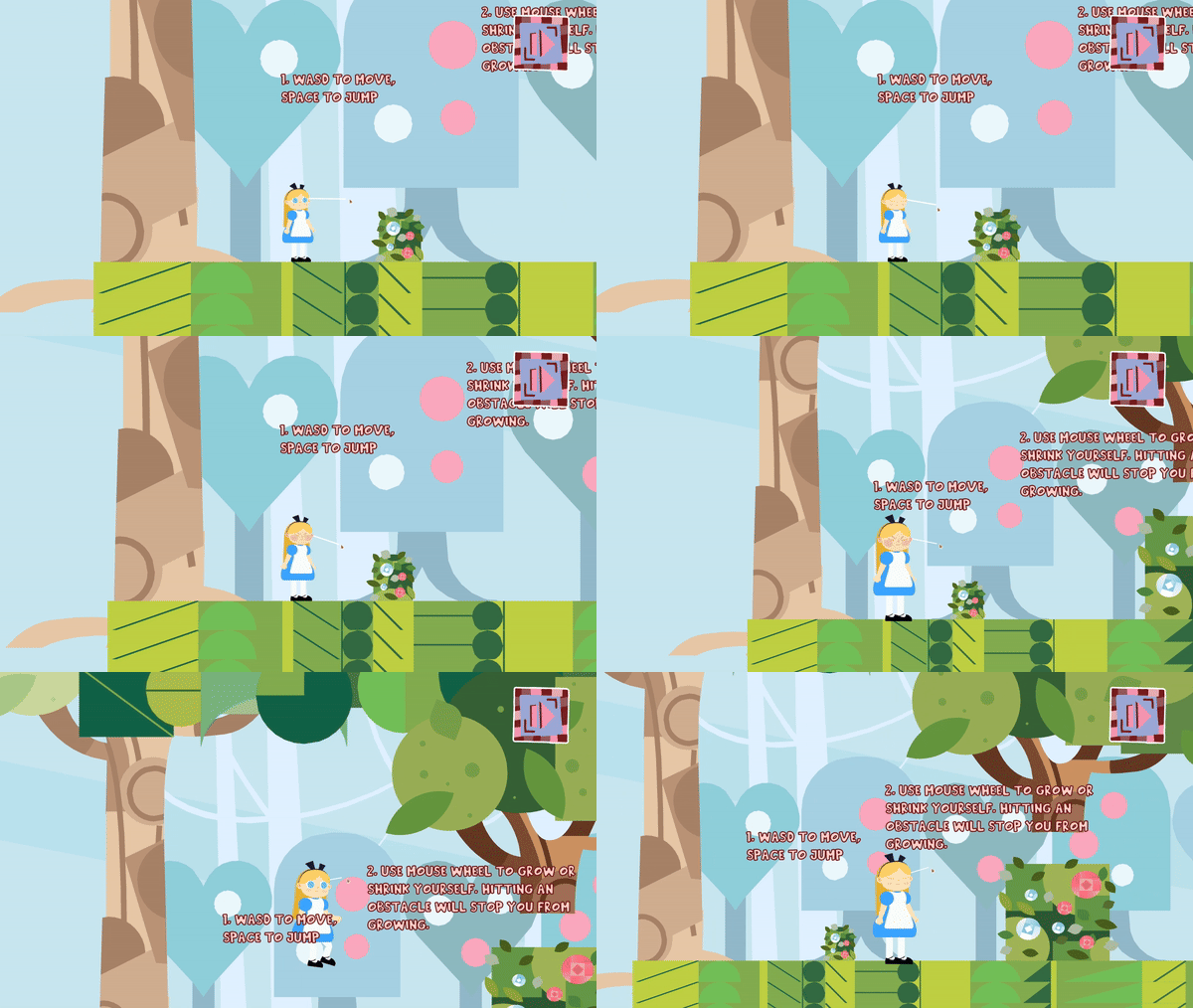
Scaling is the entire mechanical identity of the game, both Alice and individual objects can grow or shrink, and every puzzle is built from how those scales interact. Given that combinatorial complexity, the physics behind scaling had to feel consistent and predictable (Consistent Ruleset), while still being flexible enough to support a wide range of puzzle designs, and it needed to feel physically real rather than arbitrary (A World That Feels Like Alice's).
Scaling is the entire mechanical identity of the game, both Alice and individual objects can grow or shrink, and every puzzle is built from how those scales interact. Given that combinatorial complexity, the physics behind scaling had to feel consistent and predictable (Consistent Ruleset), while still being flexible enough to support a wide range of puzzle designs, and it needed to feel physically real rather than arbitrary (A World That Feels Like Alice's).
Scaling is the entire mechanical identity of the game, both Alice and individual objects can grow or shrink, and every puzzle is built from how those scales interact. Given that combinatorial complexity, the physics behind scaling had to feel consistent and predictable (Consistent Ruleset), while still being flexible enough to support a wide range of puzzle designs, and it needed to feel physically real rather than arbitrary (A World That Feels Like Alice's).
Rules
Rules
Rules
Alice's jump velocity and horizontal move speed are both derived directly from her current local scale, larger scale means higher jumps and faster movement; smaller scale means lower jumps and slower movement
Alice's ground-check collider scales with her, so grounding detection stays accurate at any size rather than assuming a fixed player footprint
Every scalable object has a defined
ScaleOption: Proportional (scales uniformly on both axes, with independent min/max bounds) or Vertical (scales only on the Y axis, for objects like buttons or platforms where width should stay fixed)Each scalable object has its own
minScale/maxScalebounds, calculated relative to its original scale, so scaling limits are object-specific, not globalAn object can only be scaled if it's currently collision-free on the relevant sides (left/right for proportional scaling, top for both options), checked via overlap boxes against a configurable ignore layer mask, preventing objects from scaling into walls, floors, or each other
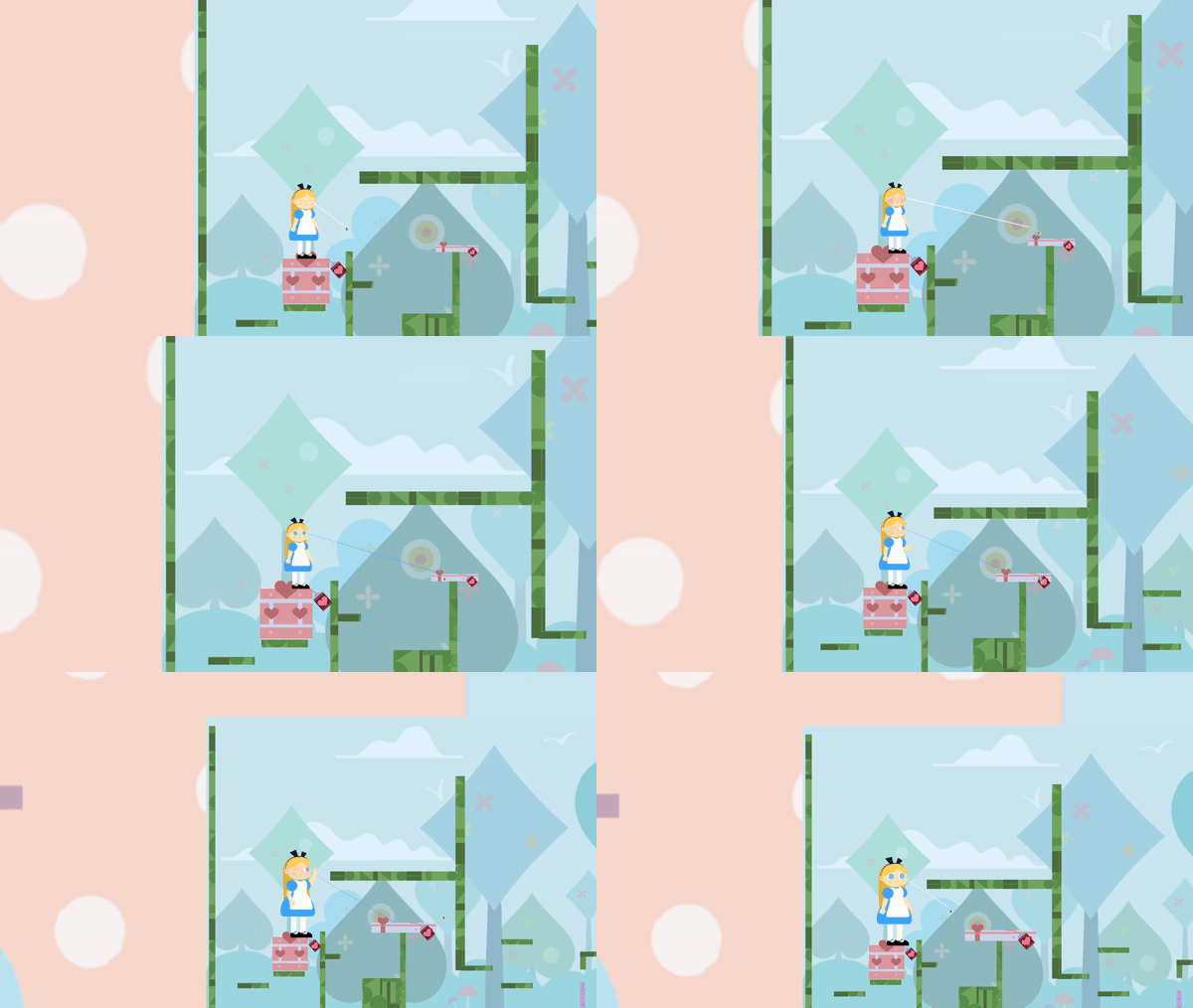
Every scalable inanimate object carries a heart-symbol tag, and Alice's targeting raycast (via
EyeTracer) changes color when pointed at a valid, currently-scalable object, giving immediate visual feedback before committing to the actionScalable animals (Cheshire Cat, Flamingo) are not tagged the same way, their interactivity is taught through level design and context rather than a UI marker
Resetting a level restores every scalable object to its original scale and position via
ResetScalable(), and resets Alice's own scale viaResetPlayerScale()
Alice's jump velocity and horizontal move speed are both derived directly from her current local scale, larger scale means higher jumps and faster movement; smaller scale means lower jumps and slower movement
Alice's ground-check collider scales with her, so grounding detection stays accurate at any size rather than assuming a fixed player footprint
Every scalable object has a defined
ScaleOption: Proportional (scales uniformly on both axes, with independent min/max bounds) or Vertical (scales only on the Y axis, for objects like buttons or platforms where width should stay fixed)Each scalable object has its own
minScale/maxScalebounds, calculated relative to its original scale, so scaling limits are object-specific, not globalAn object can only be scaled if it's currently collision-free on the relevant sides (left/right for proportional scaling, top for both options), checked via overlap boxes against a configurable ignore layer mask, preventing objects from scaling into walls, floors, or each other
Every scalable inanimate object carries a heart-symbol tag, and Alice's targeting raycast (via
EyeTracer) changes color when pointed at a valid, currently-scalable object, giving immediate visual feedback before committing to the actionScalable animals (Cheshire Cat, Flamingo) are not tagged the same way, their interactivity is taught through level design and context rather than a UI marker
Resetting a level restores every scalable object to its original scale and position via
ResetScalable(), and resets Alice's own scale viaResetPlayerScale()
Alice's jump velocity and horizontal move speed are both derived directly from her current local scale, larger scale means higher jumps and faster movement; smaller scale means lower jumps and slower movement
Alice's ground-check collider scales with her, so grounding detection stays accurate at any size rather than assuming a fixed player footprint
Every scalable object has a defined
ScaleOption: Proportional (scales uniformly on both axes, with independent min/max bounds) or Vertical (scales only on the Y axis, for objects like buttons or platforms where width should stay fixed)Each scalable object has its own
minScale/maxScalebounds, calculated relative to its original scale, so scaling limits are object-specific, not globalAn object can only be scaled if it's currently collision-free on the relevant sides (left/right for proportional scaling, top for both options), checked via overlap boxes against a configurable ignore layer mask, preventing objects from scaling into walls, floors, or each other
Every scalable inanimate object carries a heart-symbol tag, and Alice's targeting raycast (via
EyeTracer) changes color when pointed at a valid, currently-scalable object, giving immediate visual feedback before committing to the actionScalable animals (Cheshire Cat, Flamingo) are not tagged the same way, their interactivity is taught through level design and context rather than a UI marker
Resetting a level restores every scalable object to its original scale and position via
ResetScalable(), and resets Alice's own scale viaResetPlayerScale()
DESIGN DECISION 1: SCALING SHOULD CHANGE ALICE'S PHYSICAL BEHAVIOR, NOT JUST SIZE
DESIGN DECISION 1: SCALING SHOULD CHANGE ALICE'S PHYSICAL BEHAVIOR, NOT JUST SIZE
Problem
Problem
Problem
The original approach kept mass and jump height constant regardless of Alice's size, reasoning that consistent physics would be easier to design puzzles around. In practice, this made scaling feel bland and cosmetic, growing or shrinking changed how Alice looked without meaningfully changing how she played, and it directly limited the kinds of scaling-based platforming puzzles the team could design, since size had no mechanical consequence to build a puzzle around.
The original approach kept mass and jump height constant regardless of Alice's size, reasoning that consistent physics would be easier to design puzzles around. In practice, this made scaling feel bland and cosmetic, growing or shrinking changed how Alice looked without meaningfully changing how she played, and it directly limited the kinds of scaling-based platforming puzzles the team could design, since size had no mechanical consequence to build a puzzle around.
The original approach kept mass and jump height constant regardless of Alice's size, reasoning that consistent physics would be easier to design puzzles around. In practice, this made scaling feel bland and cosmetic, growing or shrinking changed how Alice looked without meaningfully changing how she played, and it directly limited the kinds of scaling-based platforming puzzles the team could design, since size had no mechanical consequence to build a puzzle around.
Decision
Decision
Decision
Reverse the original approach entirely, size directly affects both jump height and mass. A larger Alice jumps higher but is heavier (affecting how she interacts with scaled objects, platforms, or physics-based obstacles), while a smaller Alice jumps lower but is lighter. This gives every scaling decision real mechanical weight (literally), turning "should I grow or shrink here" into an actual strategic choice tied to platforming and physics, rather than a cosmetic toggle.
Reverse the original approach entirely, size directly affects both jump height and mass. A larger Alice jumps higher but is heavier (affecting how she interacts with scaled objects, platforms, or physics-based obstacles), while a smaller Alice jumps lower but is lighter. This gives every scaling decision real mechanical weight (literally), turning "should I grow or shrink here" into an actual strategic choice tied to platforming and physics, rather than a cosmetic toggle.
Reverse the original approach entirely, size directly affects both jump height and mass. A larger Alice jumps higher but is heavier (affecting how she interacts with scaled objects, platforms, or physics-based obstacles), while a smaller Alice jumps lower but is lighter. This gives every scaling decision real mechanical weight (literally), turning "should I grow or shrink here" into an actual strategic choice tied to platforming and physics, rather than a cosmetic toggle.
float HeightToVelocity() {
    return Mathf.Sqrt(2 * (1f * Mathf.Abs(transform.localScale.x))
        / Mathf.Abs(Physics2D.gravity.y)) * Mathf.Abs(Physics2D.gravity.y
float HeightToVelocity() {
    return Mathf.Sqrt(2 * (1f * Mathf.Abs(transform.localScale.x))
        / Mathf.Abs(Physics2D.gravity.y)) * Mathf.Abs(Physics2D.gravity.y
float scaleMultiplier = Mathf.Abs(transform.localScale.x / playerScale.originalPlayerScale.x);
rb.velocity = new Vector2(horizontal * moveSpeed * scaleMultiplier, rb.velocity.y
float scaleMultiplier = Mathf.Abs(transform.localScale.x / playerScale.originalPlayerScale.x);
rb.velocity = new Vector2(horizontal * moveSpeed * scaleMultiplier, rb.velocity.y
Iteration
Iteration
Iteration
The team started with the opposite design, deliberately normalized physics regardless of scale, before recognizing it made the core mechanic feel unsatisfying and mechanically inert. Reversing course to let size affect jump height and mass came directly from playtesting revealing how flat the original version felt, and from recognizing it was actively limiting level design options.
The team started with the opposite design, deliberately normalized physics regardless of scale, before recognizing it made the core mechanic feel unsatisfying and mechanically inert. Reversing course to let size affect jump height and mass came directly from playtesting revealing how flat the original version felt, and from recognizing it was actively limiting level design options.
The team started with the opposite design, deliberately normalized physics regardless of scale, before recognizing it made the core mechanic feel unsatisfying and mechanically inert. Reversing course to let size affect jump height and mass came directly from playtesting revealing how flat the original version felt, and from recognizing it was actively limiting level design options.
Outcome
Outcome
Outcome
Scaling became a real platforming decision instead of a visual one, size now determines traversal options (how high you can jump, how you interact with weight-sensitive puzzle elements), which is what let the level design deep dive actually build puzzles around scaling rather than around a fixed, unchanging Alice.
Scaling became a real platforming decision instead of a visual one, size now determines traversal options (how high you can jump, how you interact with weight-sensitive puzzle elements), which is what let the level design deep dive actually build puzzles around scaling rather than around a fixed, unchanging Alice.
Scaling became a real platforming decision instead of a visual one, size now determines traversal options (how high you can jump, how you interact with weight-sensitive puzzle elements), which is what let the level design deep dive actually build puzzles around scaling rather than around a fixed, unchanging Alice.
DESIGN DECISION 2: SCALABLE OBJECTS NEEDS TO BE VISIBLE AND IDENTIFIABLE
DESIGN DECISION 2: SCALABLE OBJECTS NEEDS TO BE VISIBLE AND IDENTIFIABLE
Problem
Problem
Problem
With a huge combinatorial puzzle space already at stake, players also need a reliable way to know, at a glance, whether a given object can even be scaled. Without a clear visual signal, players would be reduced to guessing or trial-and-error just to find out what's interactive, undermining Discoverable Through Experimentation, since experimentation only works if players know where to actually experiment.
With a huge combinatorial puzzle space already at stake, players also need a reliable way to know, at a glance, whether a given object can even be scaled. Without a clear visual signal, players would be reduced to guessing or trial-and-error just to find out what's interactive, undermining Discoverable Through Experimentation, since experimentation only works if players know where to actually experiment.
Decision
Decision
Decision
Every scalable inanimate object carries a heart-symbol tag marking it as scalable, and Alice's targeting raycast changes color, turning blue, when pointed at a valid scalable object, giving the player immediate, unambiguous feedback before committing to an action. Scalable animals (the Cheshire Cat, the flamingo) don't carry this tag; their scalability is instead taught implicitly through level design, early puzzle placement gives players enough context to learn these characters are interactable without an explicit marker.
Every scalable inanimate object carries a heart-symbol tag marking it as scalable, and Alice's targeting raycast changes color, turning blue, when pointed at a valid scalable object, giving the player immediate, unambiguous feedback before committing to an action. Scalable animals (the Cheshire Cat, the flamingo) don't carry this tag; their scalability is instead taught implicitly through level design, early puzzle placement gives players enough context to learn these characters are interactable without an explicit marker.
Every scalable inanimate object carries a heart-symbol tag marking it as scalable, and Alice's targeting raycast changes color, turning blue, when pointed at a valid scalable object, giving the player immediate, unambiguous feedback before committing to an action. Scalable animals (the Cheshire Cat, the flamingo) don't carry this tag; their scalability is instead taught implicitly through level design, early puzzle placement gives players enough context to learn these characters are interactable without an explicit marker.
public void UpdateColor(bool isSelectable) {
    if (isSelectable) SetColor(selectedStartColor, selectedEndColor);
    else SetColor(unselectedStartColor, unselectedEndColor
public void UpdateColor(bool isSelectable) {
    if (isSelectable) SetColor(selectedStartColor, selectedEndColor);
    else SetColor(unselectedStartColor, unselectedEndColor